The importance of finishing personal projects


Personal projects? I could drown in them. But the most important thing is actually finishing them, in one form or another. Why? Because if you keep starting without finishing them, it becomes easy to half-ass every project you do. It also raises the threshold for starting new projects in the first place. Making it a intense but sustainable way to learn, especially by taking the time you need to develop a deep understanding of what it actually takes. It’s a bit hard for me to explain in English, but I think you get the picture.
For me, finishing a project means reaching the first realistic goal I set for the project, not using some unrealistic/dreamy goal and burning out on the whole "learn-via-personal-projects" flow because of it. It sometimes does become a thin line between them.
So what’s this post about? Well, most of my projects take anywhere from a day to a week and usually stay with me, not even becoming a blog post. But before I developed this way of learning, I had two projects that were a little too ambitious. Still, I had to finish them in one way or another to stay true to myself.
So that’s what I’ll be sharing: two one projects that started development more than five years ago.
Second one comming soon...
Lets start with the oldest:
RUK - 2018
Oh man, this project. This one came from my very ambitious self in 2018. I was 16, turning 17, and had just registered my IT and software company. This was going to be it's first consumer software release. I had it all planned out, even knowing it would probably take between one to three years before i could release anything alpha-worthy. So whats the design?
Bit ashamed to say that the idea was to make a mod framework for Unreal Engine 4. Yeah… a bit crazy, no? Heavily inspired by Gmod and that other user-content-centric game.
The core idea came to me while playing around with UE4 in 2016/17, trying to learn how that engine worked. I wanted to build a framework where my friends, who liked playing games but weren’t technical in any way, could make gamemodes and minigames themselves.
So development started. Slow, really slow, but steady-ish. I spent a lot of time learning how the engine worked and writing mental hook-style code around this whole plan. No proper “plugin/mod API” like I later learned how to design/implement, just a ton of bad-practice code. But it worked, and who cared about performance, hehe.
I also didn’t care that a huge company maintained the engine, I was going to build my own hacked layer on top of and between it.
I worked on it from 2018 to 2020, putting in work nearly every day. And I had it on my computer, one computer, one copy. The feeling I get writing this again makes me nauseous, because I remember losing it all. All those hours of work, gone, just because I was too arrogant to make a backup. Not even a copy on another system. Nothing.
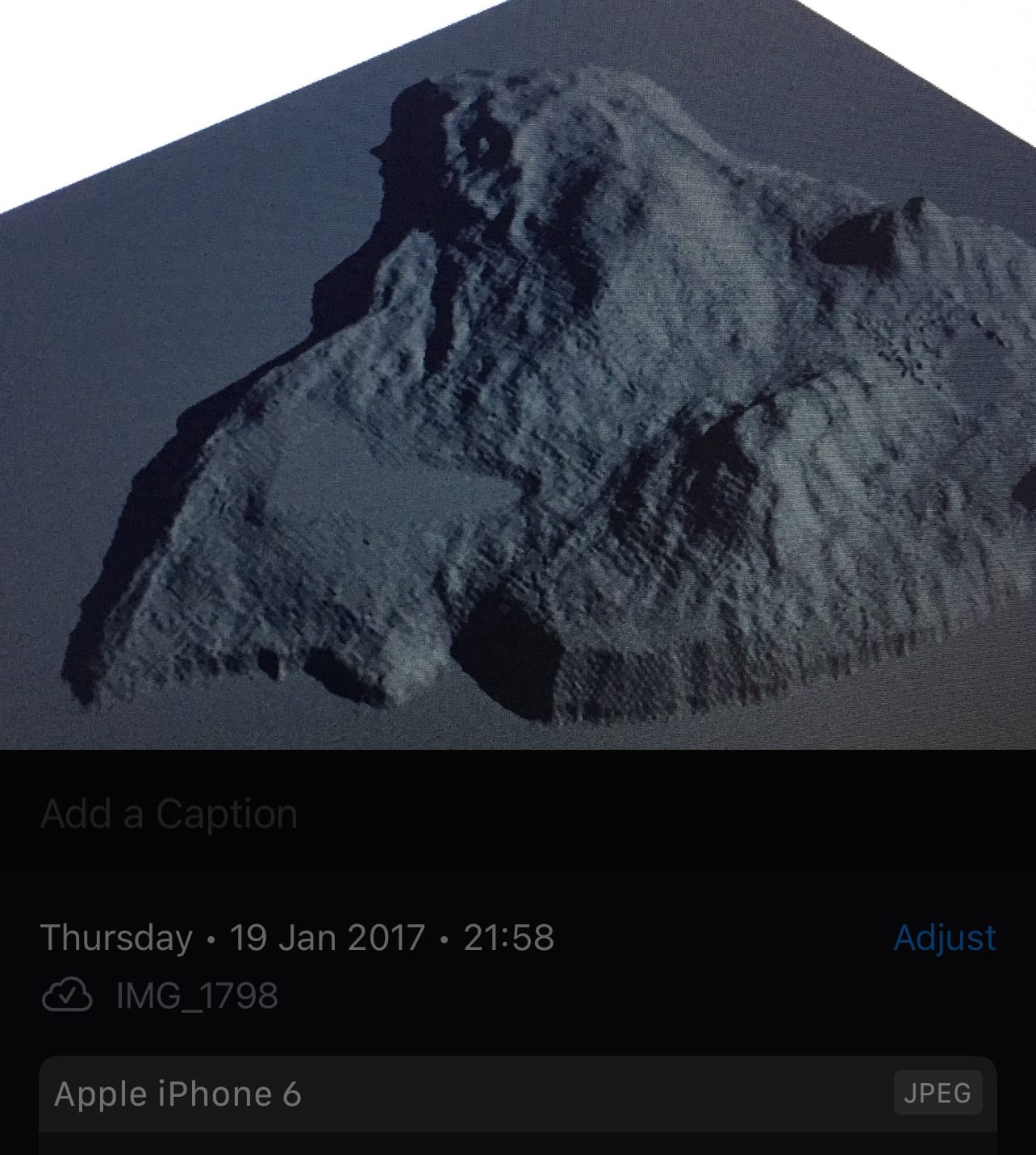
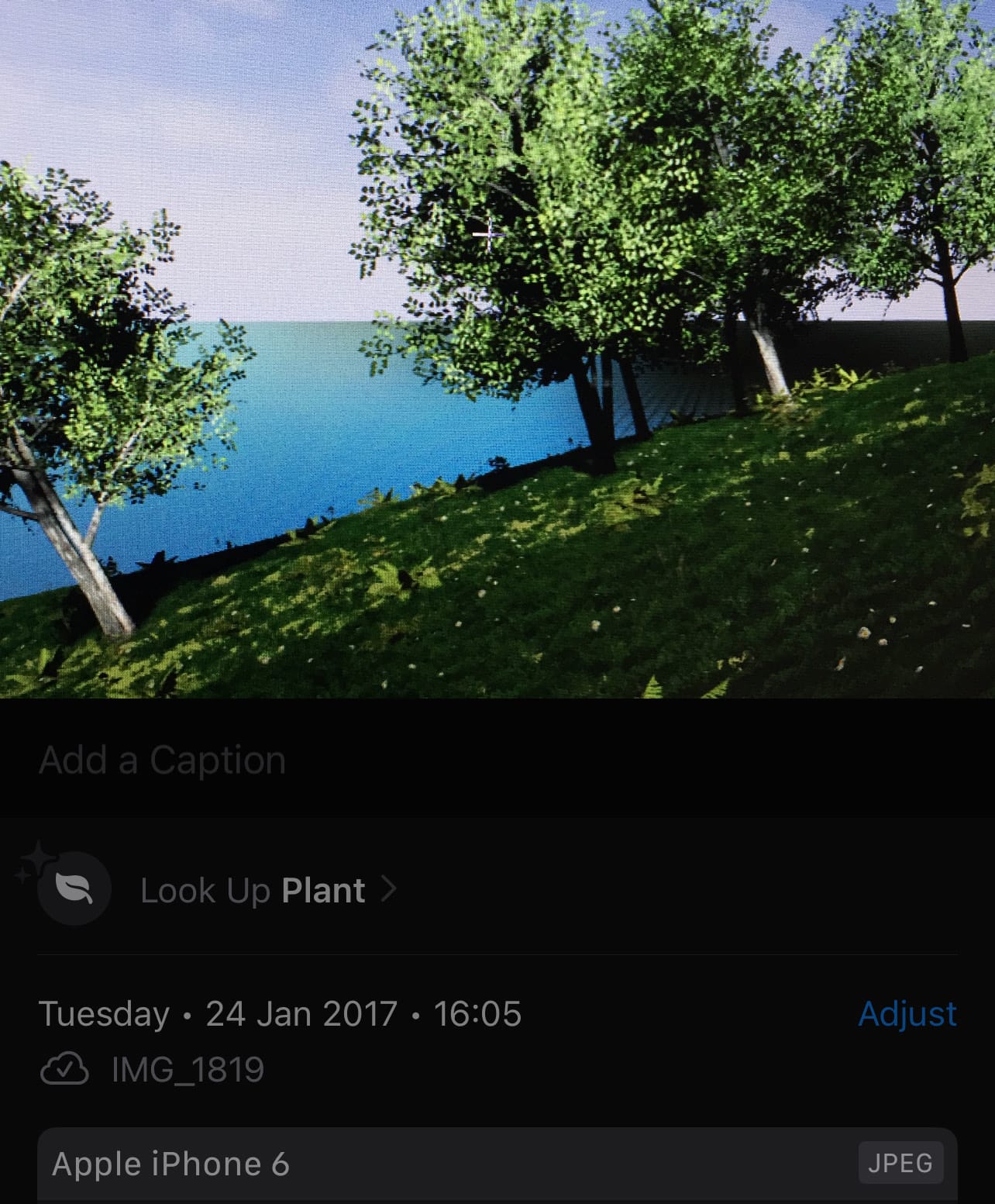
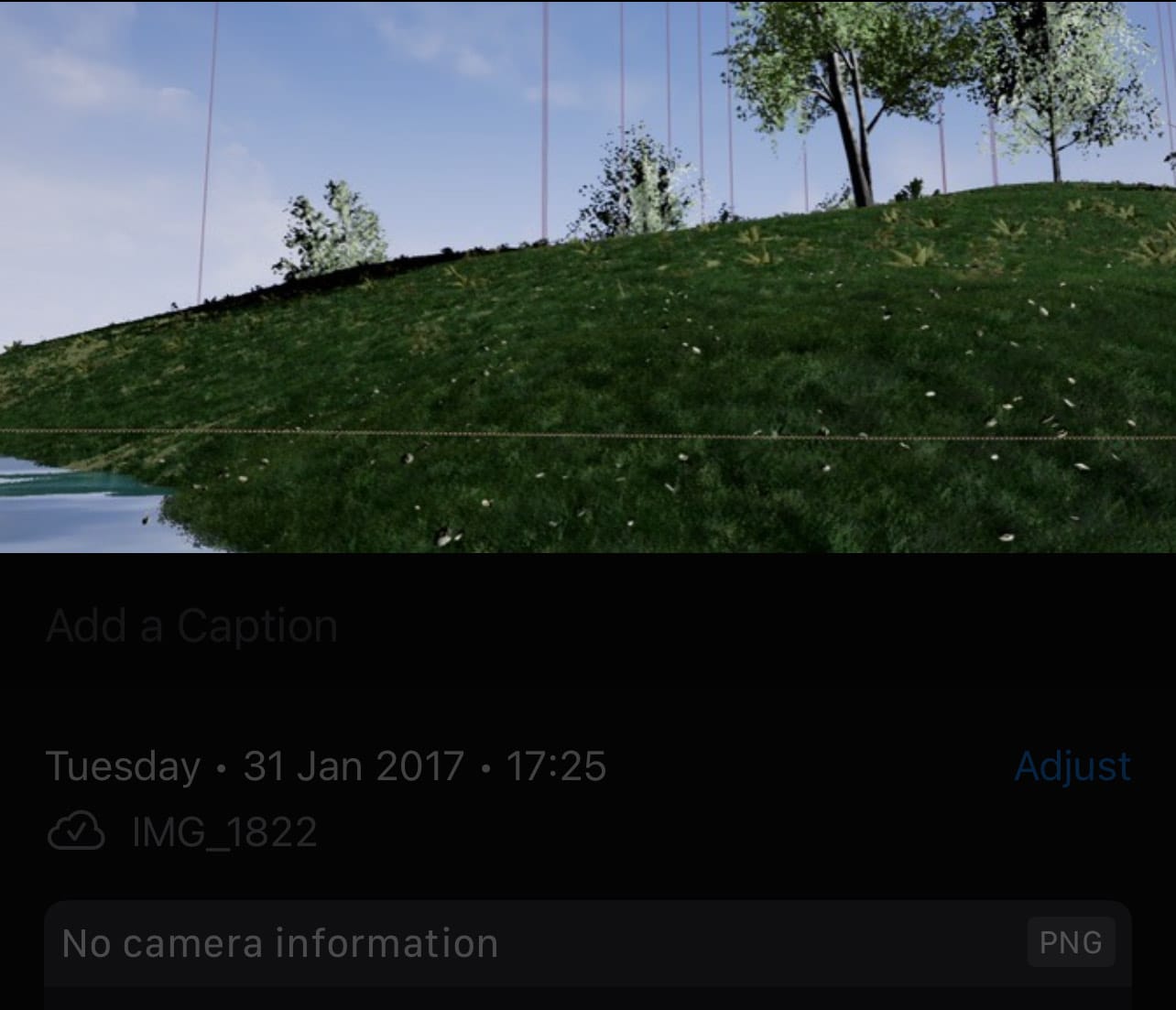
Best i can do are some pictures from my phone of my computer screen... From 2017...
And man, I would’ve loved to get it back and just go through it again. Really, that would’ve been amazing to see how far i came. Especially to see the hacks again that seemed to work.
But like i said, Sadly, I lost all my projects in 2020. That was rough. So you can probably imagine that I didn’t feel like starting on it ever again, especially considering how much more had been lost. But then 2023 came;
RUK - 2023
Yes, in 2023 I started playing around with the idea again, this time looking at the Godot game engine. I did some tests/prototyping and wasn’t really satisfied with the results, so I dropped it. But deep down I knew, like I said, I had to make something, in some way... It couldn't be nothing...
RUK - 2025
Now I present to you the RUK that is “runnable” and barely satisfies the realistic set goal, without being a complete 'nothingburger'; definitely better than nothing and giving up, for sure:
RUK On Bevy in Rust - Overview
I wrote this final version of RUK Framework in Rust, which I found really fitting with the name, and most important reason that the RUK framework itself extends the existing game engine project Bevy. A cool rust based project i found that felt like a good in-between of an home-made game engine and existing tried and tested design, the goal here became building a proper layer on top of Bevy with everything i had learned; A stable host environment where systems, gameplay, content, and tooling can plug into it cleanly instead of everything becoming one giant mess of hooks and farts. Basically a fraction of what i always wanted RUK to be.
Everything below this point was originally written in Dutch, translated to English using an LLM, and edited where needed.
RUK-Codebase
RUK project repo exists of a host executable, toolset executable and shared framework crate (apps/ruk_game | apps/ruk_tools | crates/ruk_core), the developer package wizard/toolset is in apps/ruk_tools, the content packaging system, layered settings system, in-engine console system, native UI shell system, Steam and LAN/direct session foundations, sandbox demo's, .rukmap loader, and an early packaged plugin runtime system all in crates/ruk_core.
Gameplay, content, plugins, tools, and (web) UI systems should be able to attach themselves through defined registries and services instead of directly hooking or patching the host like i did before. Settings are metadata-driven, UI goes through registries, console commands go through registries, content gets mounted into catalogs, plugins are capability-gated, and network/session state is abstracted through transport-neutral resources. etc etc. Completely overengineered, but made way more sustainable.
Before i forget lets list he dependancies i used:
bevysteamworkswryandwinitfor native child webviews on Windows.libloadingfor plugin loading.serdeandserde_jsonfor settings, manifests, documents, content indexes, LAN packets, and handshake messages.blake3for sync hashes, direct-session password proofs, session-key fingerprints, and direct replication frame integrity.reqwestHTTP fetchesdirectoriesfor locating the settings.arboardclipboard export.
With Bevy doing the very heavy lifting, of course. And someone with knowledge of Bevy could probably point out that some of the stuff I’m talking about already exists in Bevy itself, and you would be completely right.
But if I felt something wasn’t fitting enough for RUK, or if I only needed a very specific part of a crate instead of multiple, or just to learn how i would implement it was usually the reason for rebuilding or replacing it. At one point I went completely performance-focused, which was also one of the reasons I eventually stopped with development, as you’ll read later.
TechPath
Now you got the idea, Let's follow the logic path and i will explain the design and the reasoning behind it.
main.rs
The RUK executable entry point is apps/ruk_game/src/main.rs. RUK starts by creating a Bevy app, customizing Bevy's default plugin set, then adding RukFrameworkPlugin.
There are a few important boot-time decisions i implemented here:
- RUK disables Bevy's default
LogPluginand installs its own tracing setup. This is because we have an extensive log-flow design with multiple IO's. We actually lose a tiny bit of performance here - (For development & first starts) the primary window is configured as
RUK, borderless fullscreen, withPresentMode::AutoNoVsync. - The Bevy
AssetPluginis pointed at a runtime asset directory returned byruntime_assets_path(), currently<exe>/RuntimeAssets. - The render backend is selected before Bevy startup from the persisted setting
core.render.backend. * - Steam is preinitialized before the framework plugin is added. (To make sure Steam overlay attaches and the RUK framework is sure of its existence.)
*WGPU backend selection happens before the Bevy renderer is initialized. The host reads user settings withload_user_settings(resolve_user_settings_path()), looks forcore.render.backend, and maps it to the Bevy/WGPU backend configuration. Vulkan is the default. DX12 is exposed but treated as not supported in the UI because by design the Vulkan renderer is the stable path.
That division between boot-time settings and runtime settings became a recurring pattern throughout the RUK framework. If a value can safely be changed live, the framework applies it directly from the SettingsStore. But if it affects something like renderer initialization, the UI marks it as restart-required instead.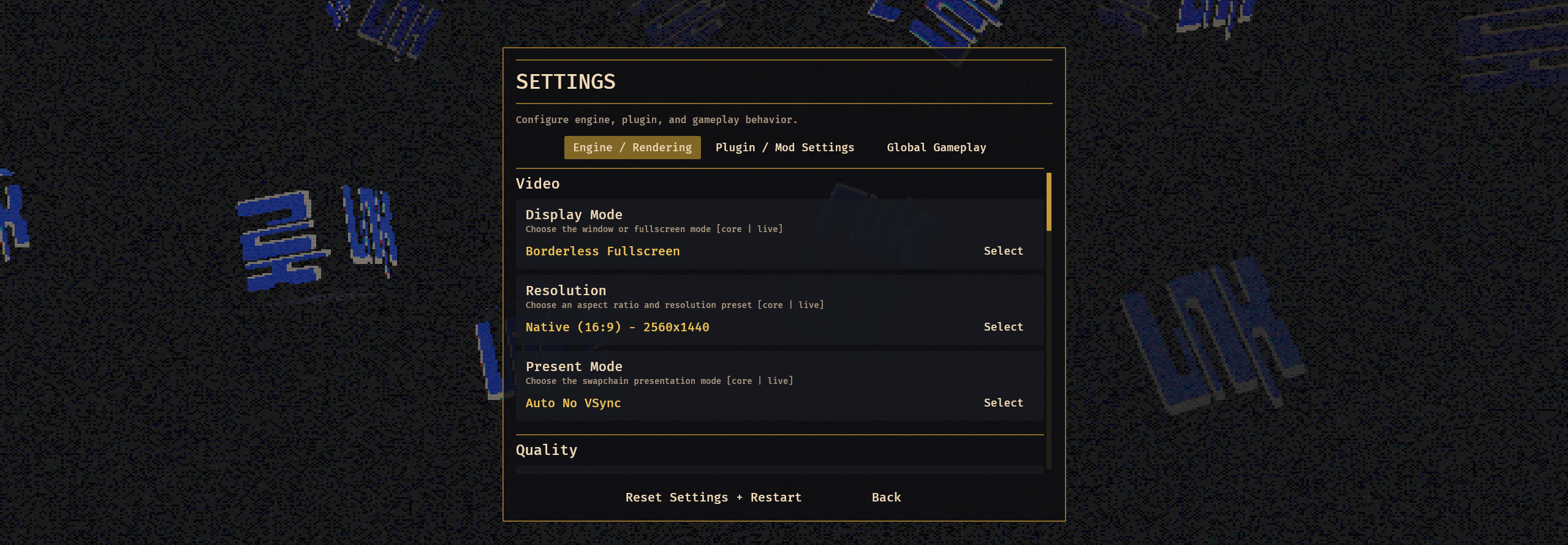
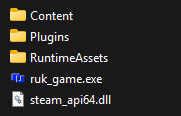
build.rsapps/ruk_game/build.rs is the build piece of the runtime story. It stages content next to the compiled executable so the app can find assets in a predictable layout.
For non-release builds, it copies the loose Content directory into the target output. This keeps development easy: maps, images, audio, and metadata can be edited as normal/raw files.
For release builds, it packs top-level content packages into .rukpack archives. A .rukpack starts with the magic bytes RUKPK*, followed by a little-endian JSON index length, then a JSON index containing package id, metadata and file entries, then the raw (if enabled encrypted&signed) file bytes.
The content runtime can mount both loose folders and packed archives.
framework.rscrates/ruk_core/src/framework.rs is the composition root. It wires everything into one runtime.
At startup it inserts shared assets, registers core settings definitions, and installs a console save handler for runtime engine state. It also initializes the main shared resources:
RukFrameworkConfigRukEngineInfoSharedLogBufferTraceControlMenuMusicStateConsoleStateConsoleRegistryConsoleSaveRegistryExtensionRegistryUiRegistryUiTemplateRegistry- (Bevy state)
UiScreen
Then it adds the framework plugins:
EngineOverlayPluginScenePluginSettingsPluginXRenderPluginSteamPluginWebUiPluginPluginRuntimePluginContentPluginGameplayPluginUiDialogPluginMenuPluginConsolePlugin
Order matters here. Foundational services such as settings, rendering, Steam, content, plugins, gameplay, dialogs, menus, and console all depend on resources being present. It uses Bevy resources and systems as the integration layer, trying to avoid making every module reach directly into every other module. Instead, these modules expose narrower resources and helper functions.
Also live application systems like:
- Trace, overlay, display, resolution, and present-mode settings.
- Audio mix settings.
- Refresh monitor-aware resolution choices.
- Start and stop menu music based on UI state. (basic)
- Apply the startup UI screen from settings after initialization.
So this time i'm not hardcoding extension behavior into one screen or one monolithic hookmanager. Instead, i made registries and services that other systems can contribute to. Including my own.
Examples:
- The console has
ConsoleRegistryfor namespaces and commands. - The UI has
UiRegistryfor menu contributions. - Dialogs go through
UiDialogStateand dialog template helpers. - Settings and save data go through
SettingsDefinitionRegistry. - Content goes through
ContentCatalog. - Internal Rust extensions go through
ExtensionRegistryand theRukExtensiontrait. - External native plugins go through the packaged *plugin ABI plus capability-gated host callbacks.
- Gameplay modes and maps go through
GameModeRegistryandMapRegistry. - Loaded map state goes through
RukMapRuntimeStateandRukMapStateStore.
That has two benefits. First, core screens like Settings and Manage can stay native and predictable while still showing plugin-provided content. Second, external plugin APIs can be narrowed to stable operations instead of handing out raw Bevy World access.
*Yep, you read that correctly. I implemented ABI contracts for plugin development. More over ABI & API later.
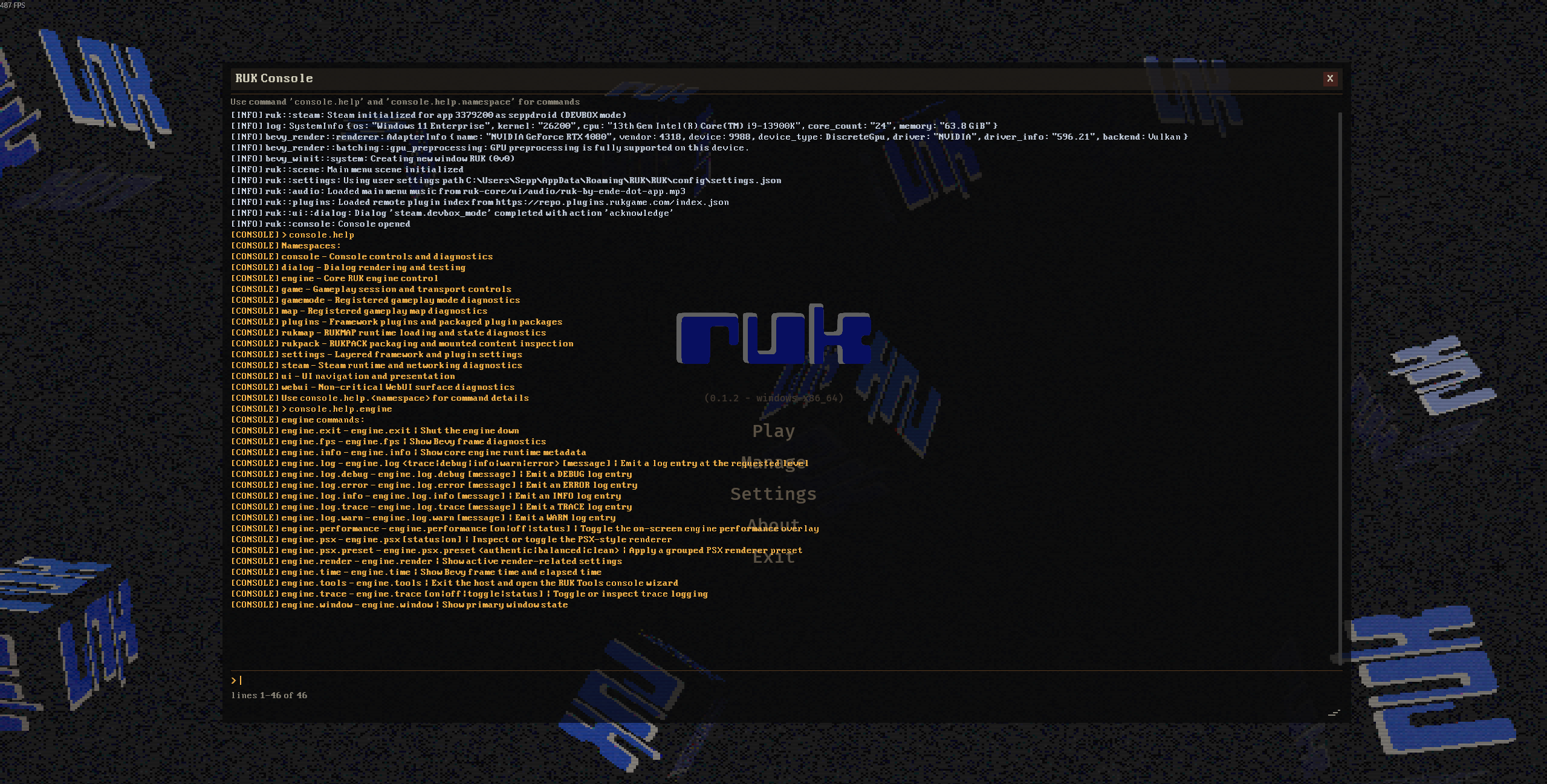
Consoleconsole/registry.rs is the commands system. It defines namespaces, commands, command handlers, and save handlers. Commands receive a ConsoleCommandContext with world access, so framework commands can inspect and mutate runtime state in a controlled way.
Built-in command namespaces include:
rukpackconsolesettingsdialoguiwebuipluginsenginegamegamemodemaprukmapsteam
The console is RUK's debugging dashboard: it can inspect content packages, switch UI screens, manage settings, open dialogs, test WebUI surfaces, activate plugins, inspect renderer state, start/stop sessions, inspect maps, mutate rukmap state, and inspect Steam/lobby/sync state.
ConsoleSaveRegistry lets modules register contributors that snapshot live runtime state into user settings.
Settings System
The settings system lives in settings.rs. It is one of the best examples of RUK's "metadata first" style. And a million times better then i used to make settings systems before.
Settings are stored in three layers:
defaultusersession
Live session settings overrides user settings, user settings overrides default settings. Values can be typed as:
BoolIntegerFloatText
The user settings file is JSON with a format_version and typed values. On Windows, the normal path comes from directories::ProjectDirs, so it ends up under the user's app config directory. There is also a fallback local file path for environments where project directories cannot be resolved.
The settings system has two resources:
SettingsStore, which owns layered values and persistence.SettingsDefinitionRegistry, which owns metadata for settings UI and validation.
A SettingDefinition contains the key, label, description, tab, order, owner, control type, and whether the setting is runtime-mutable. Controls include:
- toggle
- choice
- integer range
- float range
- text
- key binding
The important part is that registering a setting definition does more than add UI metadata. It also creates validation rules and auto-registers a settings.<key> console command. This means a core setting or plugin-owned setting gets the same treatment in three places:
- Settings UI
- console command surface
- value validation/coercion
Core settings cover:
- trace logging
- performance overlay
- display mode
- resolution preset
- present mode
- renderer backend
- shadow quality
- tonemapping
- MSAA
- deband dither
- bloom
- X renderer parameters
- master/music/effects volume
- mute state
- startup screen
- gameplay bindings
- mouse sensitivity
- LAN session and discovery ports
Runtime-applied settings include window mode, resolution, present mode, trace logging, overlay visibility, audio mix, shadow quality, tonemapping, MSAA, deband dither, and bloom. The renderer backend is intentionally boot-time only.
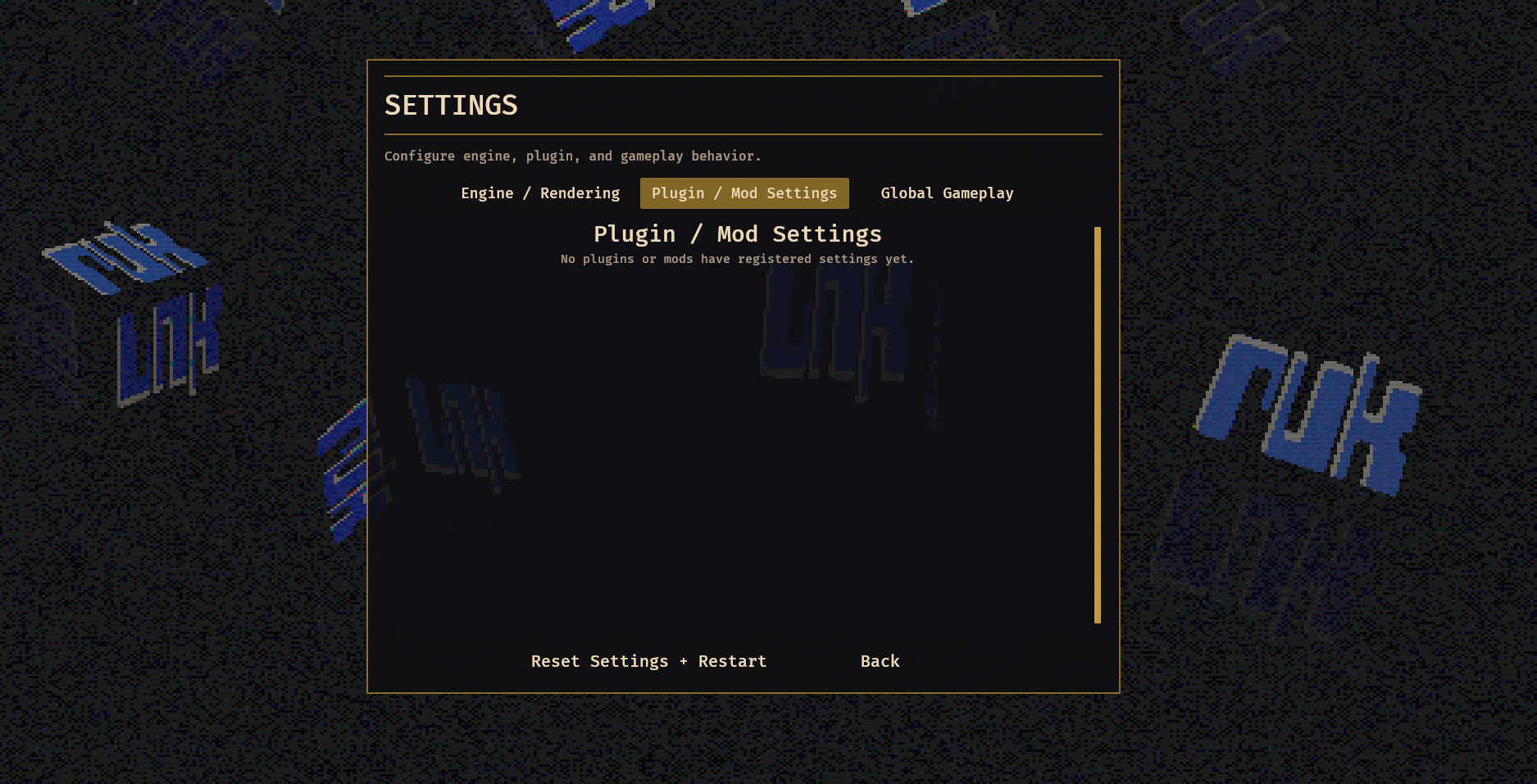
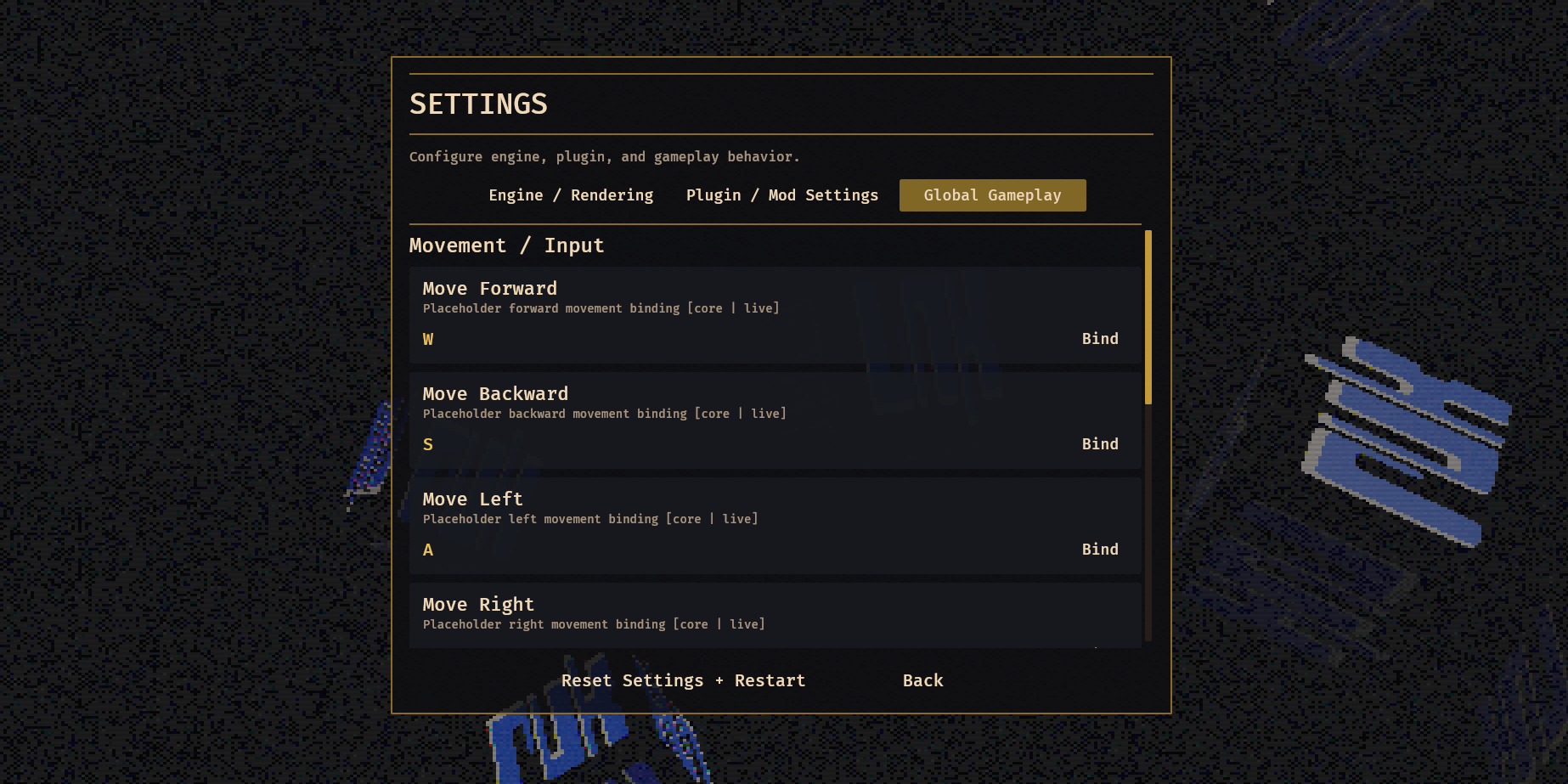
2 example settings values:
{
  "format": 1,
  "values": {
    "core.audio.music_volume": {
      "type": "Float",
      "value": 0.15
    },
    "core.render.backend": {
      "type": "Text",
      "value": "vulkan"
    }
  }
}
Rukpack content
The content system lives in content/mod.rs. It discovers and mounts package content from:
<exe>/Content- current working directory
Content <exe>/Mods- current working directory
Mods - enabled and signed/ manually approved local plugin's
Contentfolders
Mounts can be loose directories or .rukpack archives. They also have origins:
- base game content
- plugin content
- mod content
The precedence order is:
- mods
- plugins
- game content
That means future mods can override content shipped by plugins or the base game without changing the package layout. Package ids remain stable, while mount priority decides which file wins.
Virtual content paths are written as either:
ruk-core/ui/branding/logo.pngruk_content://ruk-core/ui/branding/logo.png
The parser rejects parent-directory traversal. Once parsed, the catalog can resolve a virtual path into either a loose file path or a packed archive entry. The byte-read APIs work for both loose and packed content. Filesystem root/path helpers only return real paths for loose content, which avoids pretending packed files are normal directories.
RUK uses this content layer for boot assets too. The logo, console font, window icon, and menu music are loaded from content bytes. That is a meaningful design choice: core branding is treated as content, not as code-embedded blobs.
The built-in package is ruk-core. It currently contains:
- branding images and icon
- Cool font
- menu music
- character model assets
maps/sandbox_3d.rukmapmaps/sandbox_2d.rukmap
The content system also provides developer commands under the rukpack console namespace for status, roots, listing, info, finding, byte reads, rescans, and packing & encrypting.
UI Shell
Gameplay and system screens are native so they remain predictable, renderer-integrated, and available on every platform.
The main UI state enum is UiScreen:
MainMenuPlayGameSetupLoadingManageSettingsAboutInGame
ui/menu.rs has gotten very large because it owns most of the current screen behavior. The main menu is centered over the live 3D or 2D background scene. Play chooses the transport. GameSetup changes layout depending on whether the player is offline, hosting LAN, hosting Steam, joining a direct/LAN/public session, or joining Steam. Manage exposes plugin package management. Settings renders the definition-driven settings UI. InGame owns the pause menu overlay.
The reusable primitives live in ui/renderer.rs:
- menu shell specs
- dialog specs
- dialog templates
- reusable button colors and framing helpers
Dialogs live in ui/dialog.rs. Systems can show warning, error, confirm, or template-backed dialogs. Dialogs emit result events and are treated as a shared service rather than hand-built one-off UI trees.
ui/registry.rs provides plugin/internal menu extension points. Menu entries can currently target main menu, manage, and settings locations. Handlers receive a world-backed context with helpers for screen navigation, dialogs, console output, and exit requests.
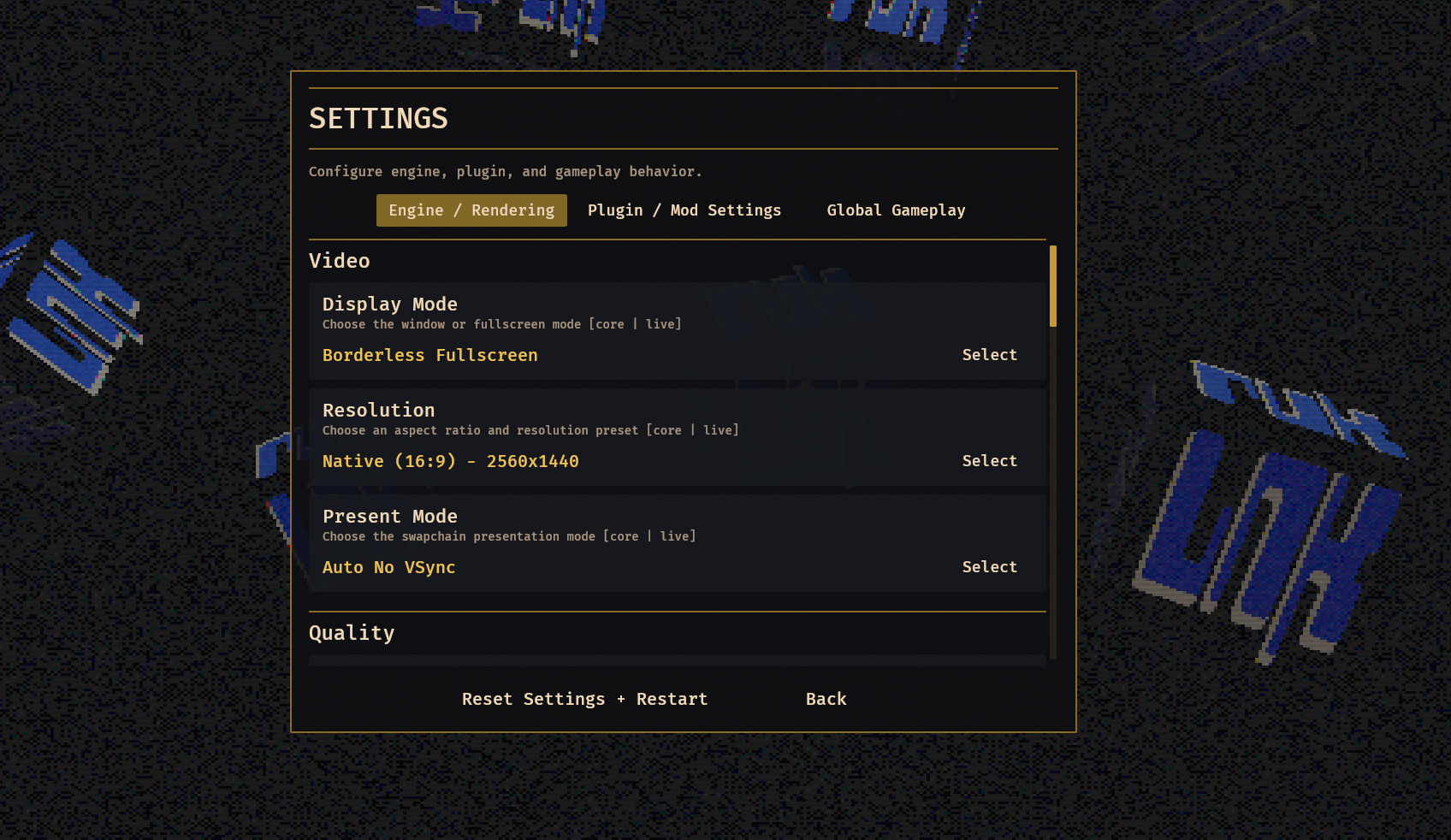
The Settings screen is generated from SettingsDefinitionRegistry, grouped into tabs:
- Engine / Rendering
- Plugin / Mod Settings
- Global Gameplay
The Manage screen uses PluginCatalog as its data source. It splits installed and available plugin entries, supports search, shows plugin details, and handles enable/disable/download/rescan actions. Native plugin activation goes through a signature check or trust confirmation because packaged plugins are native DLLs loaded into the host process.
WEB-UI
Based on modern apps, I was thinking about implementing a WebUI system to allow for more interactive and easier-to-design UI. So ui/webui.rs implements a backend-agnostic WebUI runtime. It is active for richer optional tools, documents, repository views, or multimedia panels, not for core gameplay menus. And currently none of my modules/plugins use it.
The API models surfaces as:
PanelModalWindow
A surface can be opened from a URL or inline HTML. Runtime operations include open, close, show, hide, navigate, reload, evaluate script, clear, and devtools control when debugging is active.
On Windows, RUK uses WRY child webviews attached to the primary Bevy window. And that's mainly the reason why i don't use it, it's not finished and thus on non-Windows targets, the runtime falls back to a backend that still tracks requested surfaces but cannot render them in-engine.
External packaged plugins can access WebUI through ABI 1.2 host callbacks if they declare the webui capability.
Audioaudio.rs defines a small managed and basic audio model:
RukAudioCategoryRukAudioChannelRukAudioMix
Entities tagged with RukAudioChannel opt into RUK's settings-driven audio mix. The framework applies master, music, effects, and mute settings to those entities.
Menu music is owned by the same module. It loads ruk-core/ui/audio/ruk-by-ende-dot-app.mp3 through content bytes, creates an AudioSource, and starts/stops a looping audio entity based on UI state. Music plays on menu-like screens and can continue through pause/settings contexts, but it is managed by the runtime rather than hardwired into a menu widget.
The model still misses allot of planned design for location and synced based audio.
Gameplay Architecture
The gameplay layer is in gameplay/mod.rs plus its submodules:
gameplay/rukmap.rsgameplay/simulation.rsgameplay/lan.rs
GameplayPlugin initializes the main gameplay resources:
GameModeRegistryMapRegistryGameSessionConfigGameRuntimeStateGameNetworkSessionStateGameplayReplicationStateGameplayReplicationSnapshotStateGameplaySimulationStateGameplayLocalInputStateGameplayClientPredictionStateGameplayRemotePlayerSnapshotStateGameplayPlayerRosterStateGameplayCameraAnchorStateDirectRemoteInputState
It also adds RukMapPlugin and LanSessionPlugin, then wires a large update chain for session defaults, entity sync, local input, prediction, cursor capture, local/remote player application, replication snapshots, visuals, nameplates, camera anchors, roster summaries, and transport status.
The project currently registers two built-in gamemodes:
sandbox.3dsandbox.2d
The 3D sandbox uses:
- dimension:
ThreeD - camera:
PerspectiveFirstPerson - default map:
ruk-core.sandbox.3d
The 2D sandbox uses:
- dimension:
TwoD - camera:
TopDownOrtho - default map:
ruk-core.sandbox.2d
The current transport modes are:
host.offlinehost.lanhost.steamjoinjoin.steam
GameSessionConfig is the setup-time selection state. GameRuntimeState is the active-session state. GameNetworkSessionState is a transport-neutral summary for UI and gameplay-facing logic. GameplayReplicationState describes transport, role, security, readiness, encryption, endpoint, and status details without forcing every gameplay system to know whether the session came from Steam or direct TCP.
This transport-neutral layer is one of the most important gameplay design choices. The code can add more replication logic against shared session summaries instead of branching all over the simulation on "Steam vs LAN vs offline."
start_selected_game_session validates the chosen transport, gamemode, and map before entering gameplay.
For offline sessions, it can start immediately with the selected mode/map.
For LAN hosting, it uses the selected host configuration and direct-session runtime.
For direct joins, it requires a selected server and a completed direct-session handshake. The handshake provides target gamemode/map metadata and a sync hash. The session only starts if the local sync state is ready.
For Steam hosting, it ensures a lobby exists and Steam sync readiness is satisfied.
For Steam joining, it ensures the selected lobby has been joined and sync is ready.
Once valid, the function stores an ActiveGameSession, logs the event, and requests the selected .rukmap load with a transition to UiScreen::Loading. Stopping a session leaves Steam lobbies if needed, clears direct session state if needed, clears the loaded rukmap, clears the active session, and returns to the main menu.
gameplay/rukmap.rs is the map runtime.
ADiscovery scans every mounted content package, including loose directories and pack entries, looking for .rukmap files. Parsed documents are cached, duplicate ids are rejected, and discovered maps are registered into MapRegistry with an owner like ruk_content:<source_id>.
Map load is staged through request_rukmap_load. The UI goes to Loading, then drive_rukmap_loading reads the data, validates it, applies it, and transitions to the target screen.
Applying a map does several things:
- clears previous map entities
- installs default state-channel values into
RukMapStateStore - updates ambient light
- spawns static instances
- records spawn placement
- records camera framing hints
gameplay/simulation.rs owns local input, player state, prediction, remote player snapshots, rosters, camera anchors, and player visuals.
gameplay/lan.rs covers both LAN discovery and direct TCP session bootstrapping.
Direct session joining uses a TCP handshake:
- Client sends hello with protocol, engine version, client label, and client nonce.
- Server sends challenge with session id, display metadata, endpoint, password requirement, and server nonce.
- Client sends auth, optionally including a BLAKE3 password proof.
- Server sends accepted metadata, including gamemode/map and sync hash.
Password proofs use domain-separated BLAKE3 data including the password and both nonces. The session key material and fingerprint also use domain-separated BLAKE3 inputs.
The sync hash is important. It includes engine version, gamemode id, map id, map bytes, active local plugin manifests/libraries, and plugin/mod content mounts. Direct joins only become start-ready when local and remote content sync hashes match.
steam.rs is a large subsystem. It initializes Steam, tracks user/session/lobby state, handles overlay join requests, manages lobby requests, computes sync manifests, and moves gameplay input/snapshots over Steam Networking Messages.
The Steam state tracks:
- initialization/configuration
- logged-on state
- overlay state
- relay access request state
- callback ticks
- user set name and Steam ID
- active lobby
- lobby owner
- lobby metadata
- members
- chat
- blocked/kicked IDs
- known public lobbies
- friends in joinable sessions
- sync manifest status
- gameplay transport status
Lobby operations are queued and processed asynchronously:
- create lobby
- join lobby
- leave lobby
- refresh lobby list
- chat
- kick
Kick is implemented as a host-only lobby chat command (ruk:kick:<steam_id>), and clients only honor it when sent by the lobby owner. Which i noted for a TODO change in the future.
Steam sync manifests are one of the strongest parts of this subsystem. The host computes a BLAKE3 hash over required items:
- active local plugins
- plugin manifests
- plugin libraries
- plugin content
- mounted & activated mods
- target map bytes
Members send their hashes into the lobby system, allowing the host to write their sync status and ready state into the lobby member data. If an official remote plugin is missing and a remote entry exists, the client can automatically download it through the plugin runtime. Otherwise, the item gets marked as requiring manual review.
Session start is gated on sync readiness. For Steam-hosted sessions, the host must be locally ready and have verified incoming hashes before the session can report as ready. For Steam-join sessions, the local client must be fully synced against the lobby metadata before startup is allowed.
Gameplay transport uses Steam Networking Messages:
- channel 11 for snapshots
- channel 12 for inputs
The host receives input frames from lobby members, writes them into DirectRemoteInputState, and sends GameplayReplicationSnapshot frames back to members. Clients send local input to the lobby owner and apply snapshots from the owner. The security model here is platform-backed Steam transport rather than the direct-session password proof path. But both designs do not prevent altered clients from sending zyx / xyz data.
ABI Plugins
Nearly forgot but i was going to share the ABI plugin design, RUK has two plugin-style paths:
- Internal Rust extensions.
- External packaged native plugins.
Internal extensions use the RukExtension trait in plugins/extensions.rs. They link directly against ruk_core.
External packaged plugins use the C ABI in plugins/abi.rs and runtime loading in plugins/runtime.rs. This is the path for local/remote plugin packages loaded from the Plugins folder.
The current ABI entry symbol is:
ruk_plugin_abi_v1
The ABI uses a versioned export table with magic validation. The current ABI version is 1.2.0; compatibility allows the same major version and a plugin minor version less than or equal to the host minor version.
The packaged ABI intentionally does not expose raw Bevy World, ECS systems, or direct app configuration. Instead, plugins receive a host API table made of optional function pointers. Which pointers are populated depends on manifest-declared capabilities.
Capabilities include:
bevy.readengine.exitconsole.registermenu.registersettings.registerconsole.writeui.controldialogssettings.readsettings.writecontent.readcontent.pathsrukmap.readrukmap.controlsteam.readsteam.sessionsrender.xwebui
That capability-gating is not a full sandbox. Native DLLs run in-process, so the trust boundary is still serious. But it narrows the official host API and makes plugin intent visible in the Manage screen.
A local plugin manifest contains:
iddisplay_nameversionauthorsummarylibraryabi_versionentry_symbolcontent_filescapabilities
Local plugin discovery searches <exe>/Plugins and current working directory Plugins, recursively looking for plugin.json or *.ruk-plugin.json. It sanitizes library paths so they stay inside the package root, parses capabilities, validates ABI compatibility, and keeps incompatible/missing-binary plugins visible in the catalog with useful status messages.
Activation has two gates:
- Enabled setting:
plugins.loader.enabled.<id> - Approval setting:
plugins.loader.approved.<id>
That means a native local plugin is not silently loaded just because it exists on disk.
When loaded, a plugin can register console namespaces, console commands, menu entries, and settings. Those registrations are owned by the plugin id. On unload, the runtime removes the plugin's console entries, UI entries, settings, WebUI surfaces overrides, then calls the plugin shutdown callback if present.
The remote plugin catalog is fetched from:
https://repo.plugins.rukgame.com/index.jsonRemote entries point at a manifest URL. Download happens in a background thread, writes into Plugins/<id>/plugin.json, downloads the library and declared content_files, then verifies the signature and approves/enables and rescans local plugins. Remote plugin content can become part of the mounted content catalog after refresh.
Plugin content access is deliberately scoped. Host content path/byte callbacks only expose the current plugin folder and mounted mod roots, not arbitrary base game content paths.
Mods arent fully implemented yet, but the content system already understands Mods roots and mod-origin content precedence. That means mod content packages can be mounted and can override lower-priority content.
DevTools
apps/ruk_tools is a command-line package wizard. It can scaffold and package plugin and mod packages.
For plugins, it creates:
plugin.jsonREADME.mdSource/Cargo.tomlSource/src/lib.rsBuild/README.mdContent/...
The Rust template is a cdylib exporting ruk_plugin_abi_v1. The generated plugin demonstrates registering a console namespace and command through the ABI.
For mods, the wizard creates:
mod.jsonREADME.md- content folder layout
End?
This blog has become a bit too big so the second project will go into a pt2 post, but you get the picture. I left out some of the more uninteresting design decisions and choices. And to be honest, it’s been a couple of months since I last worked on RUK.
I stopped working on it after network replication completely broke the performance I had. That code was AI-assisted, and I went from 900 FPS to 400. And no, you can’t just prompt “please give me my performance back, make no mistakes,” then get the reply “Yes, you are right, I fixed x, y, z,” only for it to suddenly run at 70 FPS instead. So yeah, that ruined it a bit.
I did have some really good AI-assisted implementations but those required strong guidelines to match my perfection.
But it works, and a lot of the core design is good, really good, if I’m allowed to rate my own meat (Dutch saying: de slager die zijn eigen vlees keurt). Still, it will probably never become a properly distributable or releasable project.
Edit 15-05-2026: I did upload some videos so you can at least see it in action:
and the first part of a larger unrelated video:
Stay close for part 2, where I’ll share a completely different kind of project.
Edit: Here it is: https://brain.seppjm.com/the-importance-of-finishing-personal-projects-pt2/
 Sepp Jeremiah Morris
Proost,